Map Your Workflows
Pick the repetitive, high-volume tasks that eat the most staff time. Reminders, referrals, and eligibility checks are common starting points.
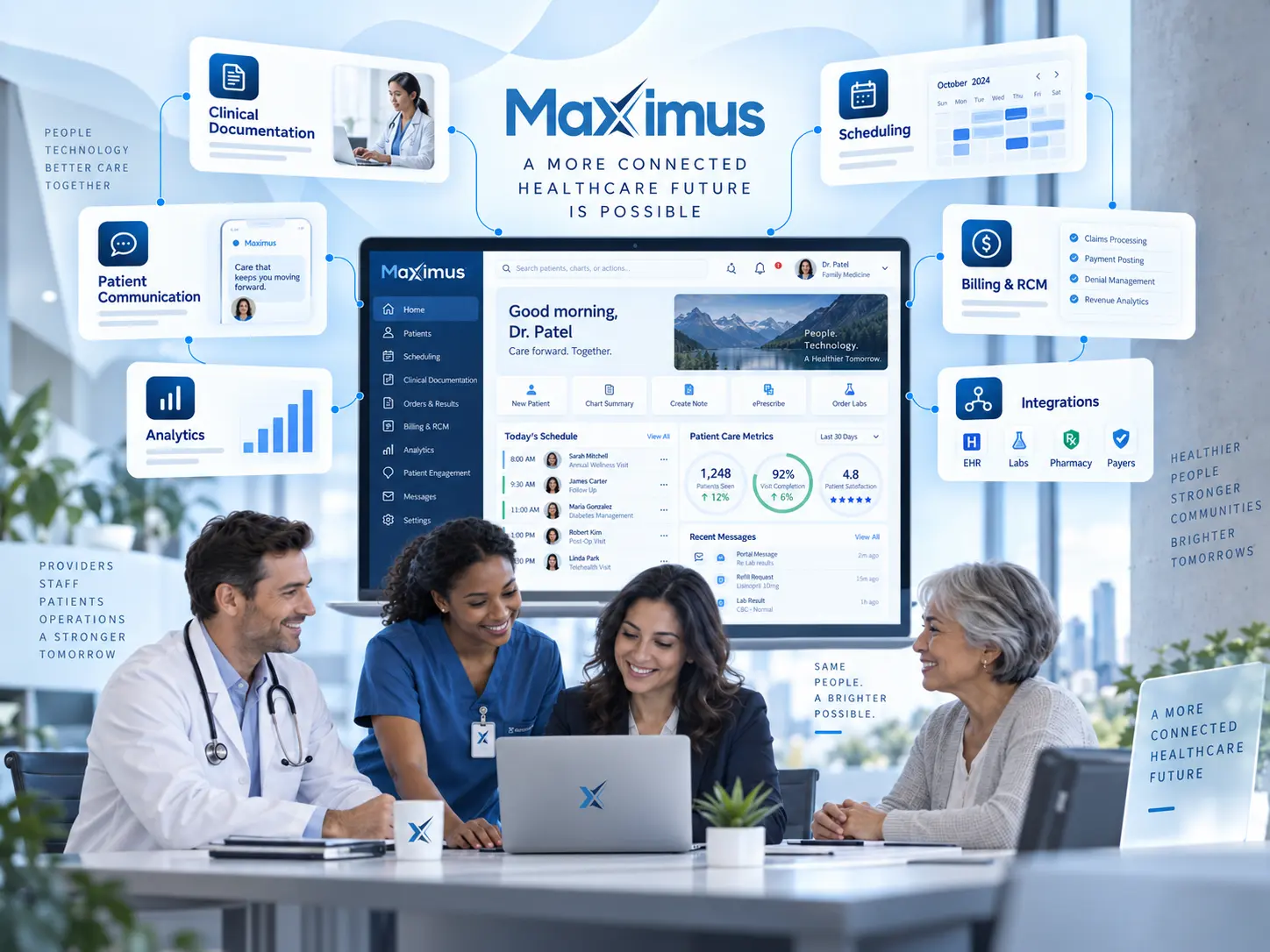
Manage patient records, clinical data, and care workflows in one connected system.
Simplify daily operations from scheduling to front-office workflows.
Keep patients connected with convenient digital communication and access.
Deliver secure virtual care directly through the Maximus platform.
Use intelligent automation to streamline clinical and administrative work.
Connect Maximus with the tools and systems your practice already uses.
Create accurate clinical notes faster with AI-assisted documentation.
Capture patient conversations and turn them into structured clinical notes.
Send prescriptions electronically with a faster, safer provider workflow.
Standardize documentation with flexible templates built around your workflow.
Manage lab orders, results, and clinical follow-up from one place.
Track referrals efficiently from request through completion and follow-up.
Make booking and schedule management easier for staff and patients.
Give patients secure access to appointments, records, and communication.
Collect patient information digitally before the visit begins.
Communicate securely with patients without relying on disconnected tools.
Reduce missed visits with automated patient appointment notifications.
Send and receive healthcare documents securely without traditional fax workflows.
Simplify daily operations from scheduling to front-office workflows.
Keep patients connected with convenient digital communication and access.
Deliver secure virtual care directly through the Maximus platform.
Use intelligent automation to streamline clinical and administrative work.
Connect Maximus with the tools and systems your practice already uses.
Create accurate clinical notes faster with AI-assisted documentation.
Capture patient conversations and turn them into structured clinical notes.
Send prescriptions electronically with a faster, safer provider workflow.
Standardize documentation with flexible templates built around your workflow.
Manage lab orders, results, and clinical follow-up from one place.
Stay ahead with healthcare insights, EHR updates, practice growth tips, and exclusive Maximus news—all in one quick email.
Manage patient records, clinical data, and care workflows in one connected system.
Simplify daily operations from scheduling to front-office workflows.
Keep patients connected with convenient digital communication and access.
Deliver secure virtual care directly through the Maximus platform.
Use intelligent automation to streamline clinical and administrative work.
Connect Maximus with the tools and systems your practice already uses.
Create accurate clinical notes faster with AI-assisted documentation.
Capture patient conversations and turn them into structured clinical notes.
Send prescriptions electronically with a faster, safer provider workflow.
Standardize documentation with flexible templates built around your workflow.
Manage lab orders, results, and clinical follow-up from one place.
Track referrals efficiently from request through completion and follow-up.
Make booking and schedule management easier for staff and patients.
Give patients secure access to appointments, records, and communication.
Collect patient information digitally before the visit begins.
Communicate securely with patients without relying on disconnected tools.
Reduce missed visits with automated patient appointment notifications.
Send and receive healthcare documents securely without traditional fax workflows.
Simplify daily operations from scheduling to front-office workflows.
Keep patients connected with convenient digital communication and access.
Deliver secure virtual care directly through the Maximus platform.
Use intelligent automation to streamline clinical and administrative work.
Connect Maximus with the tools and systems your practice already uses.
Create accurate clinical notes faster with AI-assisted documentation.
Capture patient conversations and turn them into structured clinical notes.
Send prescriptions electronically with a faster, safer provider workflow.
Standardize documentation with flexible templates built around your workflow.
Manage lab orders, results, and clinical follow-up from one place.


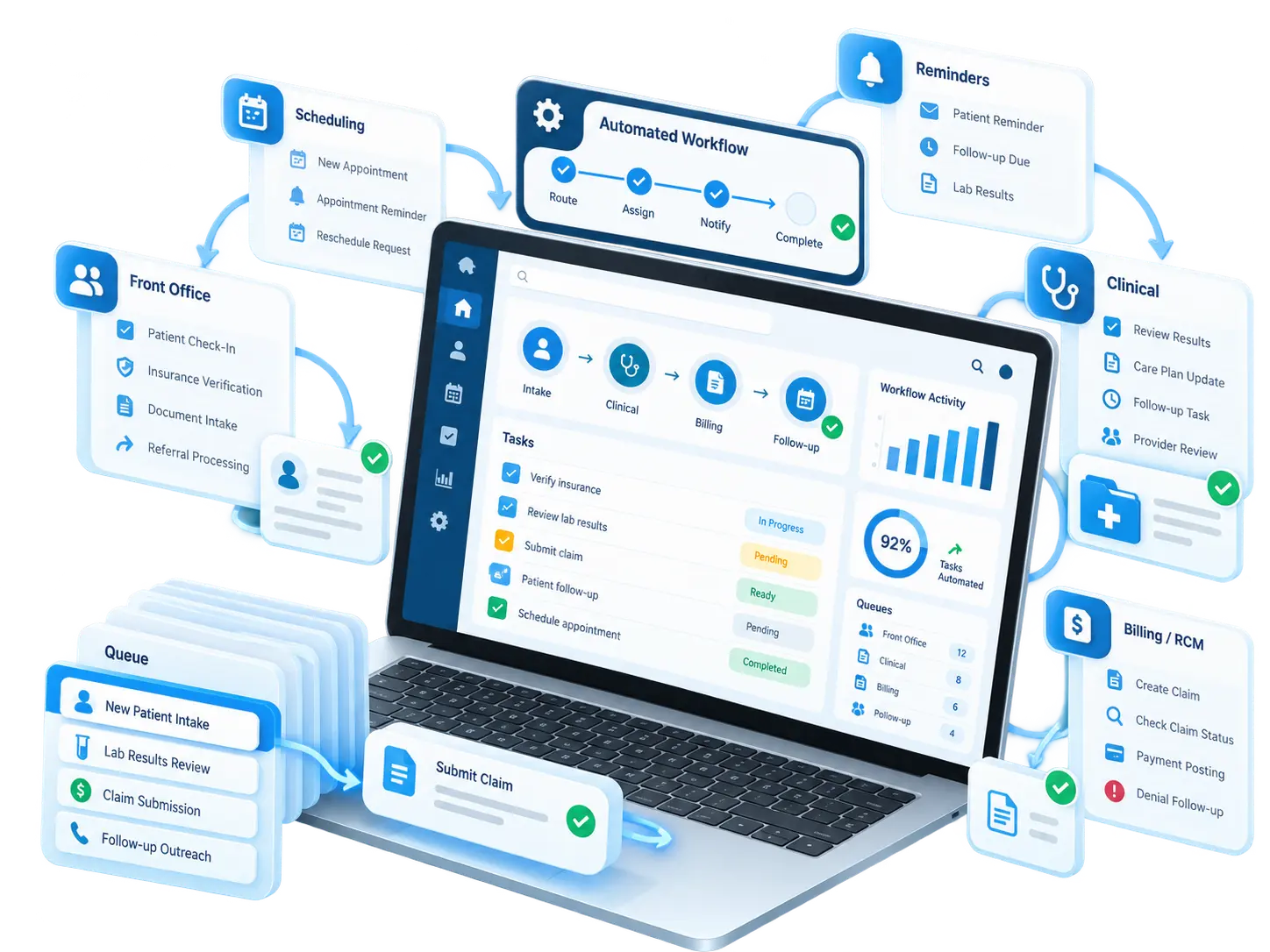
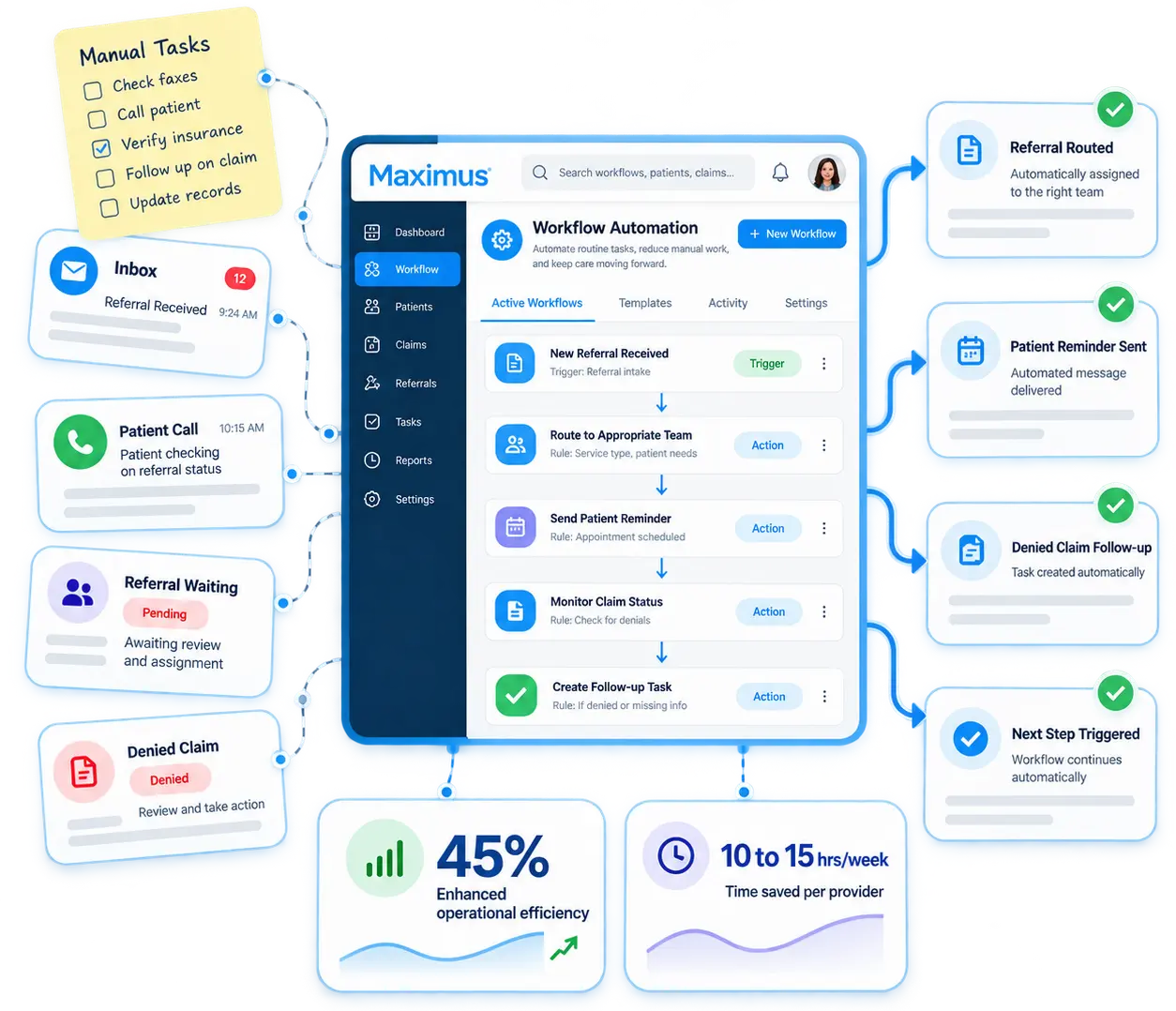
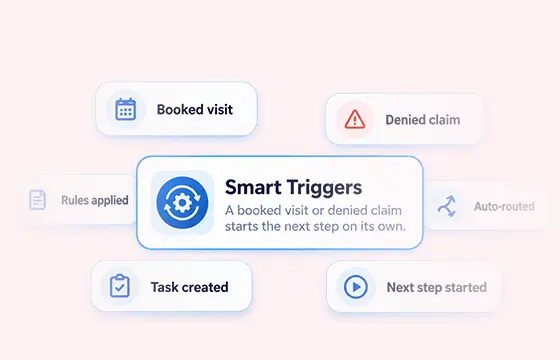
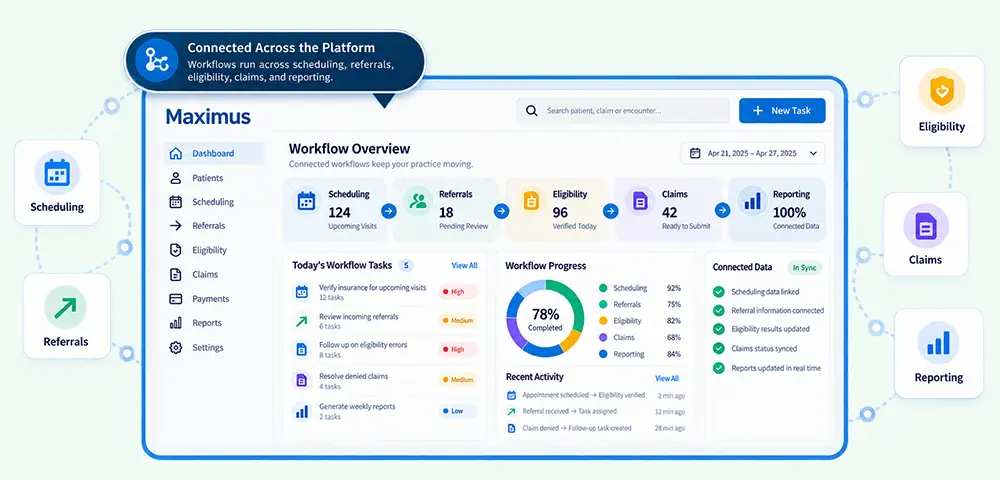
An event starts the workflow, such as a booked appointment, a placed referral, a failed eligibility check, or a denied claim.
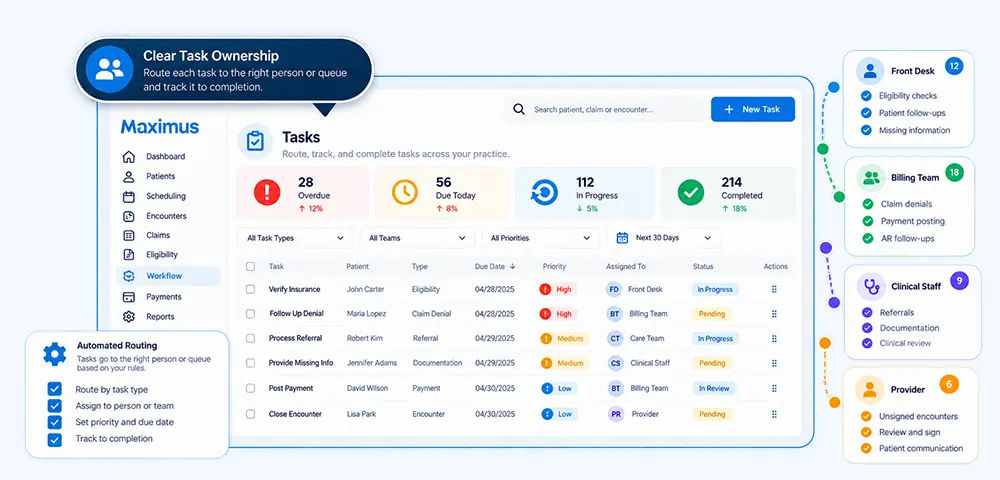
The task goes to the right person or queue, based on the rules your practice sets.
Routine steps run on their own, such as reminders, status checks, and follow-up prompts.
Staff handle the exceptions, and the outcome is saved to the patient record.
Move intake, reminders, and scheduling follow-ups along automatically, so front-desk work stops piling up.
Route referrals, follow-up tasks, and orders to the right care team member, with nothing left unassigned.
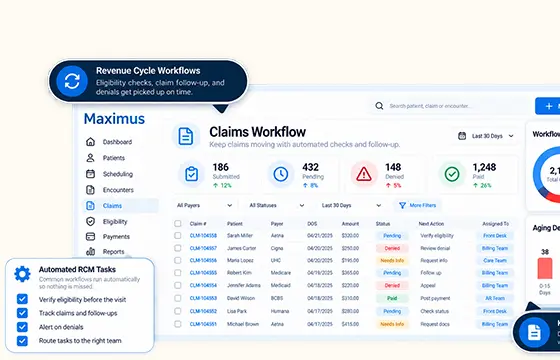
Connect eligibility verification, claims, denial follow-up, and payments, so billing work gets picked up when it is due.
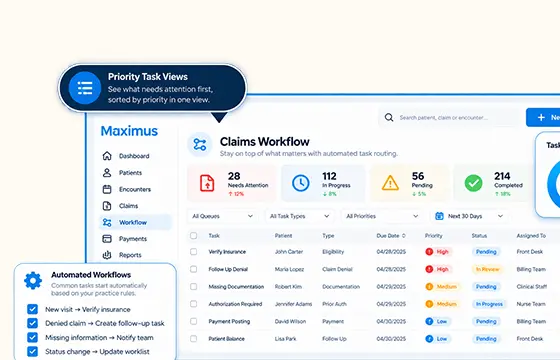
See priority tasks in one place, so your team knows what needs attention first.
Pick the repetitive, high-volume tasks that eat the most staff time. Reminders, referrals, and eligibility checks are common starting points.
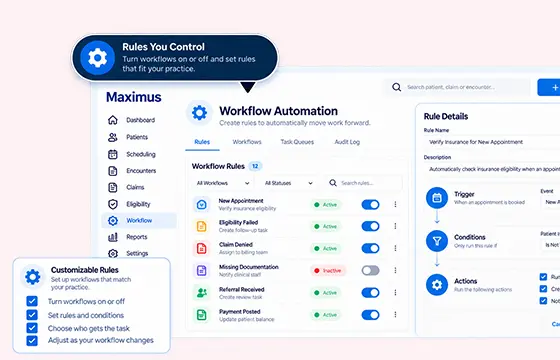
Set triggers and routing rules inside your existing Maximus EHR. No separate system to learn.
Review results, adjust rules, and add more workflows as your team gets comfortable.