- Platform
-
Core Platform
Electronic Health RecordsManage patient records, clinical data, and care workflows in one connected system.
Practice ManagementSimplify daily operations from scheduling to front-office workflows.
Patient EngagementKeep patients connected with convenient digital communication and access.
TelehealthDeliver secure virtual care directly through the Maximus platform.
Maximus IntelligenceUse intelligent automation to streamline clinical and administrative work.
IntegrationsConnect Maximus with the tools and systems your practice already uses.
Clinical & AI
AI Clinical DocumentationCreate accurate clinical notes faster with AI-assisted documentation.
Ambient AI ScribeCapture patient conversations and turn them into structured clinical notes.
E-PrescribingSend prescriptions electronically with a faster, safer provider workflow.
Clinical TemplatesStandardize documentation with flexible templates built around your workflow.
Labs & OrdersManage lab orders, results, and clinical follow-up from one place.
Referral ManagementTrack referrals efficiently from request through completion and follow-up.
Patient & Practice
Appointment SchedulingMake booking and schedule management easier for staff and patients.
Patient PortalGive patients secure access to appointments, records, and communication.
Digital Patient IntakeCollect patient information digitally before the visit begins.
Patient MessagingCommunicate securely with patients without relying on disconnected tools.
Appointment RemindersReduce missed visits with automated patient appointment notifications.
Electronic FaxSend and receive healthcare documents securely without traditional fax workflows.
Revenue & Connectivity
Medical Billing & RCMClaims ManagementEligibility VerificationReporting & AnalyticsWorkflow AutomationEHR Integrations
- Who We Serve
-
Specialties
Cardiology EHRSimplify daily operations from scheduling to front-office workflows.
Family Medicine EHRKeep patients connected with convenient digital communication and access.
Pediatrics EHRDeliver secure virtual care directly through the Maximus platform.
Psychiatry EHRUse intelligent automation to streamline clinical and administrative work.
Wound Care EHRConnect Maximus with the tools and systems your practice already uses.
Practice Types
Solo PracticeCreate accurate clinical notes faster with AI-assisted documentation.
Small PracticeCapture patient conversations and turn them into structured clinical notes.
Group PracticeSend prescriptions electronically with a faster, safer provider workflow.
Multi-Specialty PracticeStandardize documentation with flexible templates built around your workflow.
Enterprise PracticeManage lab orders, results, and clinical follow-up from one place.
Industries
Primary CareUrgent CareBehavioral HealthFQHCAmbulatory Surgery CentersSpecialty Clinics
- Resources
- About
- Contact
Join Today
Our Newsletter
Stay ahead with healthcare insights, EHR updates, practice growth tips, and exclusive Maximus news—all in one quick email.
We respect your privacy. Unsubscribe anytime.
- Platform
-
Core Platform
Electronic Health RecordsManage patient records, clinical data, and care workflows in one connected system.
Practice ManagementSimplify daily operations from scheduling to front-office workflows.
Patient EngagementKeep patients connected with convenient digital communication and access.
TelehealthDeliver secure virtual care directly through the Maximus platform.
Maximus IntelligenceUse intelligent automation to streamline clinical and administrative work.
IntegrationsConnect Maximus with the tools and systems your practice already uses.
Clinical & AI
AI Clinical DocumentationCreate accurate clinical notes faster with AI-assisted documentation.
Ambient AI ScribeCapture patient conversations and turn them into structured clinical notes.
E-PrescribingSend prescriptions electronically with a faster, safer provider workflow.
Clinical TemplatesStandardize documentation with flexible templates built around your workflow.
Labs & OrdersManage lab orders, results, and clinical follow-up from one place.
Referral ManagementTrack referrals efficiently from request through completion and follow-up.
Patient & Practice
Appointment SchedulingMake booking and schedule management easier for staff and patients.
Patient PortalGive patients secure access to appointments, records, and communication.
Digital Patient IntakeCollect patient information digitally before the visit begins.
Patient MessagingCommunicate securely with patients without relying on disconnected tools.
Appointment RemindersReduce missed visits with automated patient appointment notifications.
Electronic FaxSend and receive healthcare documents securely without traditional fax workflows.
Revenue & Connectivity
Medical Billing & RCMClaims ManagementEligibility VerificationReporting & AnalyticsWorkflow AutomationEHR Integrations
- Who We Serve
-
Specialties
Cardiology EHRSimplify daily operations from scheduling to front-office workflows.
Family Medicine EHRKeep patients connected with convenient digital communication and access.
Pediatrics EHRDeliver secure virtual care directly through the Maximus platform.
Psychiatry EHRUse intelligent automation to streamline clinical and administrative work.
Wound Care EHRConnect Maximus with the tools and systems your practice already uses.
Practice Types
Solo PracticeCreate accurate clinical notes faster with AI-assisted documentation.
Small PracticeCapture patient conversations and turn them into structured clinical notes.
Group PracticeSend prescriptions electronically with a faster, safer provider workflow.
Multi-Specialty PracticeStandardize documentation with flexible templates built around your workflow.
Enterprise PracticeManage lab orders, results, and clinical follow-up from one place.
Industries
Primary CareUrgent CareBehavioral HealthFQHCAmbulatory Surgery CentersSpecialty Clinics
- Resources
- About
- Contact
AI Clinical
Clinical Documentation That Gives Providers Time Back
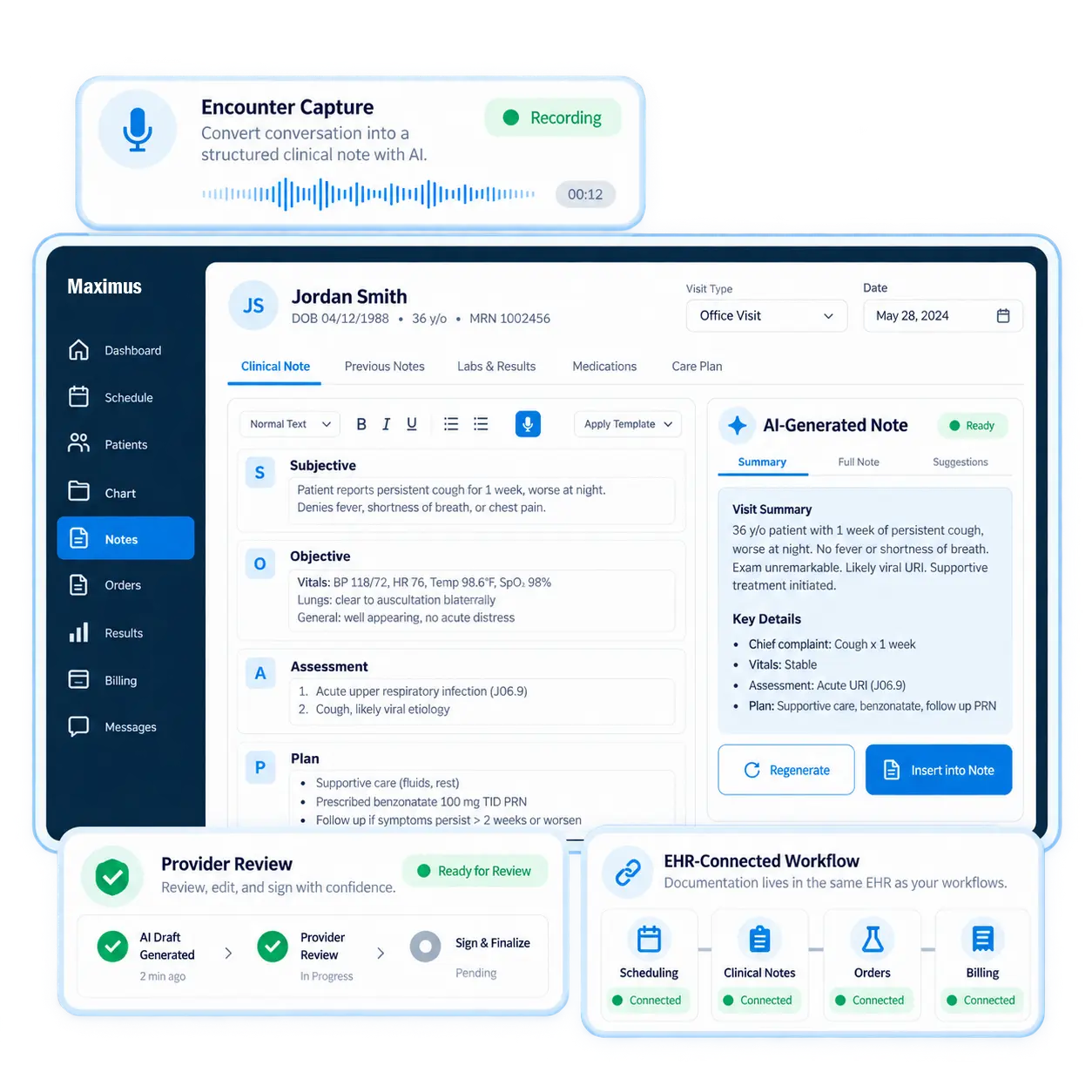
AI-assisted documentation built into your EHR workflow, not bolted onto it. Turn patient encounters into structured clinical notes faster, with less manual charting and more time for patients.

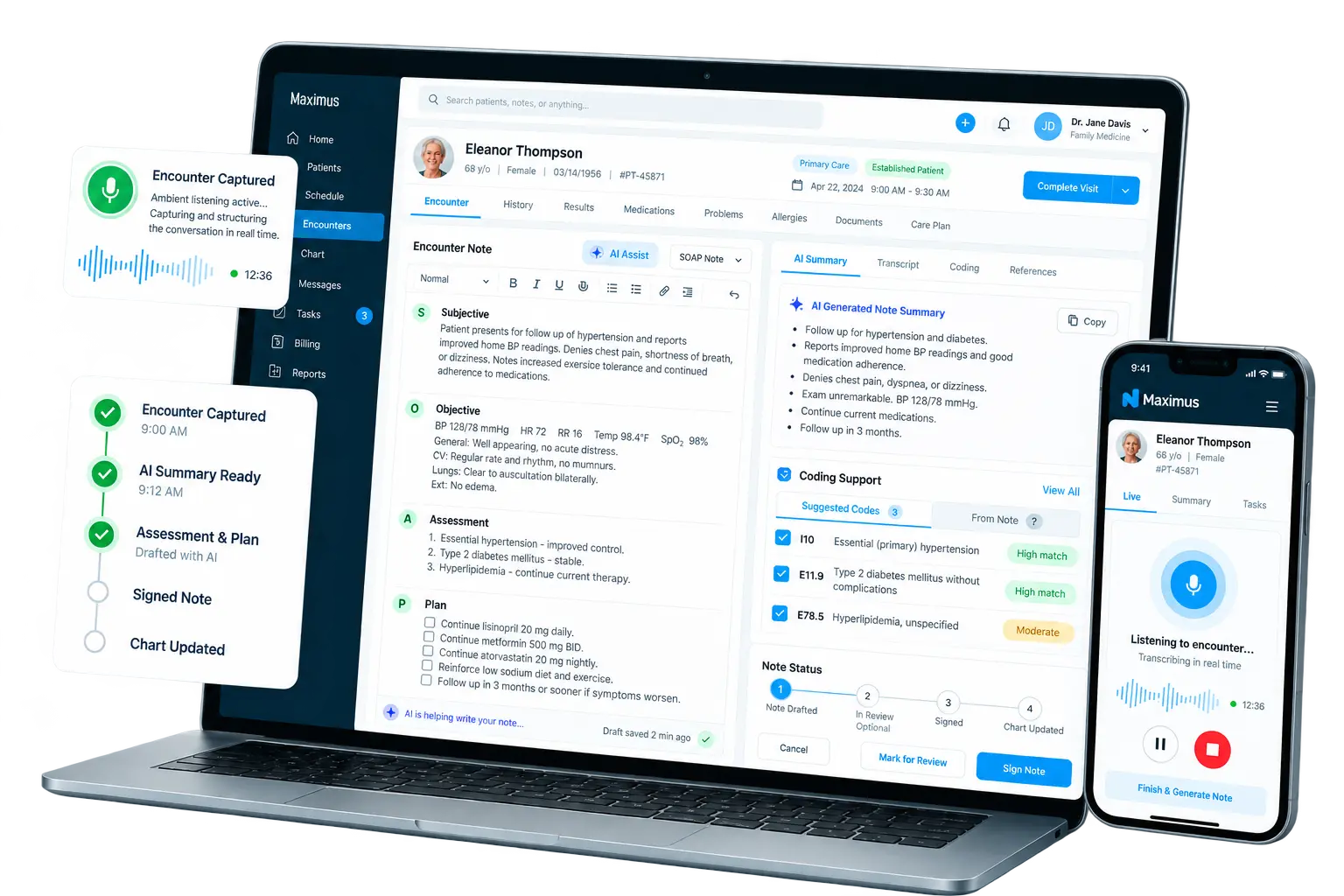
How It Works
Encounter to Clinical Note
A four-step documentation workflow built into the EHR, not layered on top of it.
Capture
Relevant information from the patient encounter flows directly into the documentation workflow.
Generate
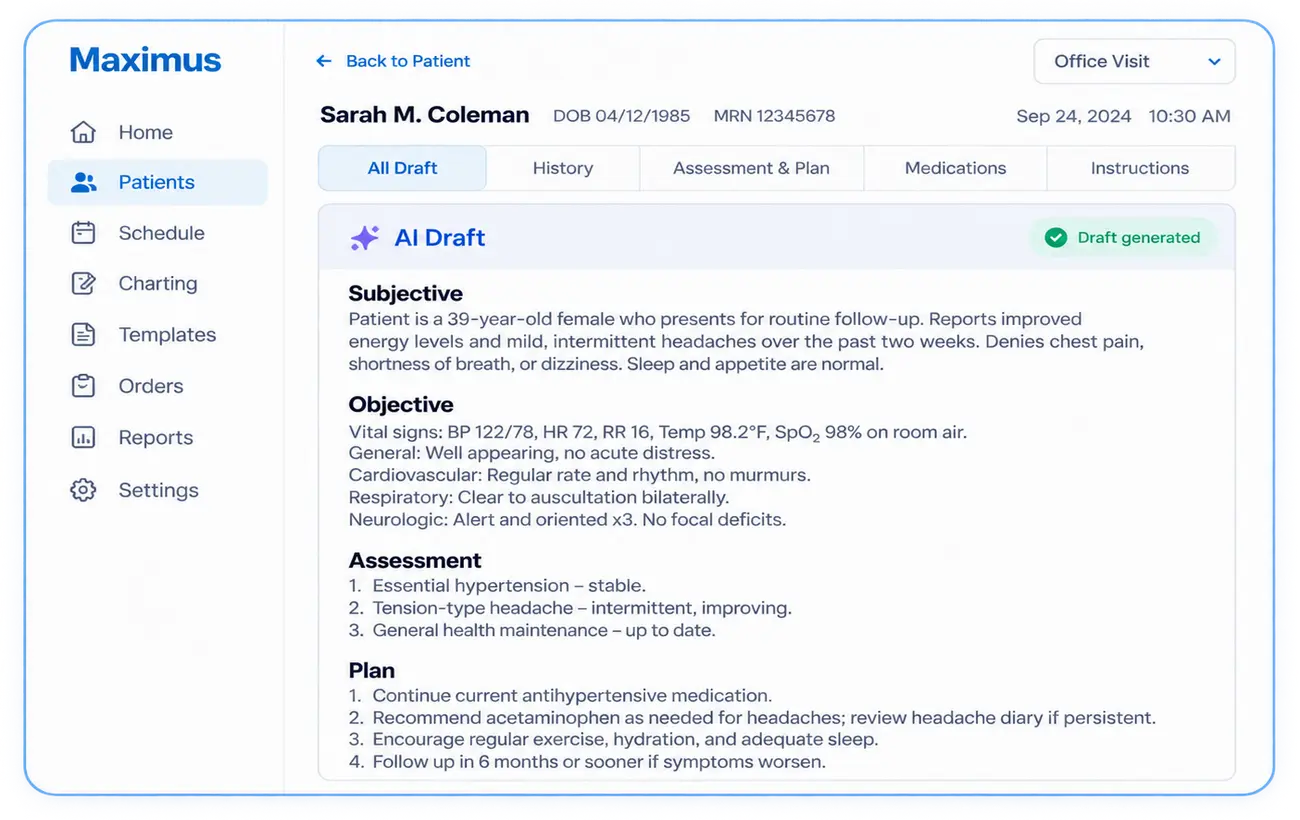
AI structures that information into a clinical note, formatted for the visit type.
Review
The provider reviews, edits, and refines the generated draft.
Complete
The note is finalized and saved directly to the patient’s chart.
The provider stays in control at every step. AI handles the repetitive work; the provider makes the clinical call.
Built Around the Provider's Workflow
AI-Assisted Clinical Notes
Transform encounter information into organized documentation automatically.
Structured Documentation
Notes follow a consistent format that supports accurate charting and clean records.
EHR-Connected Workflow
Documentation lives inside the same system as scheduling, orders, and billing. Nothing moves between disconnected tools.
Provider Review Built-In
Every AI-generated note passes through provider review before it becomes part of the record.
Time Cost of Manual Charting
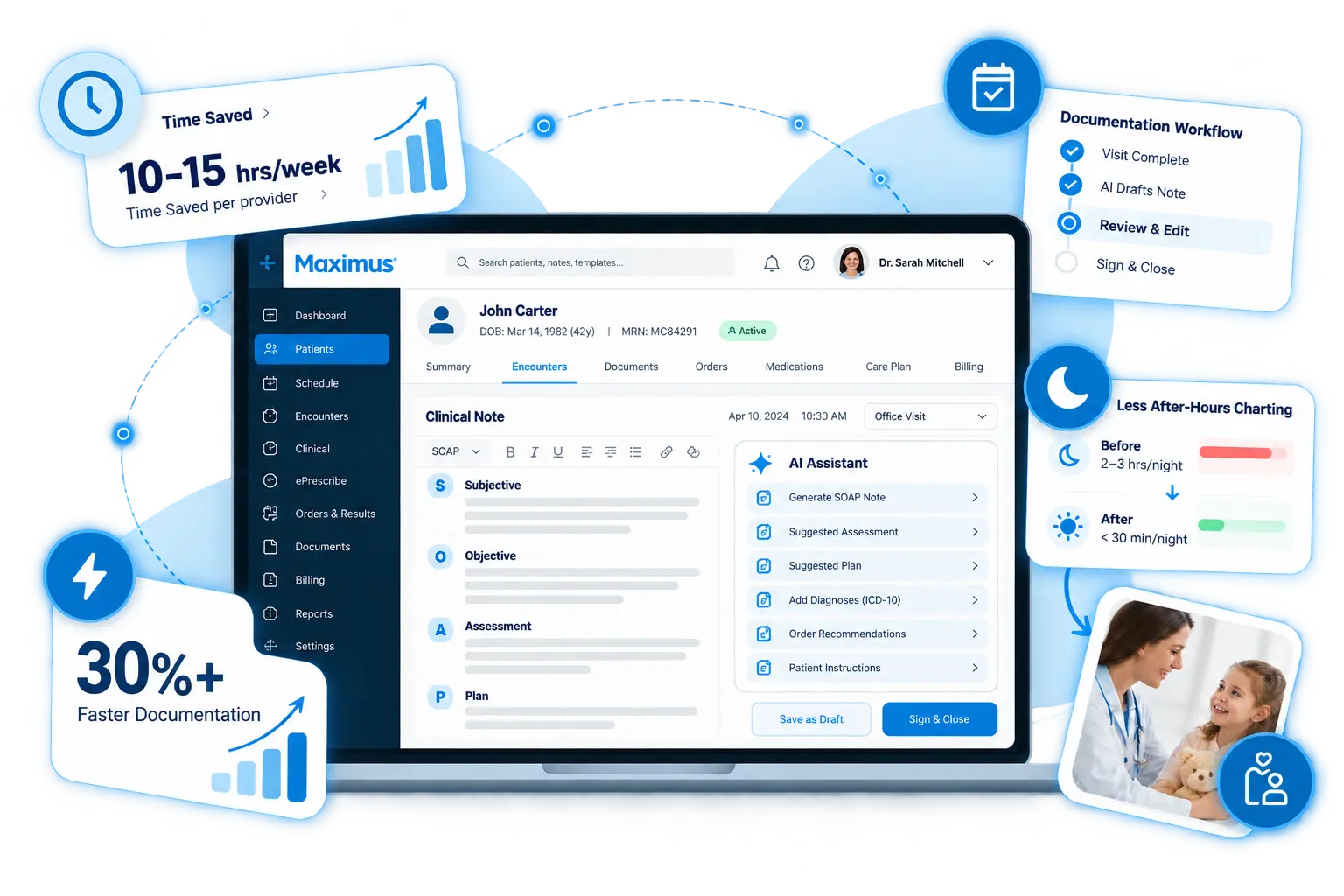
Charting shouldn’t eat your evenings. Manual documentation pulls providers away from patients, piles on repetitive notes, and spills into after-hours work. Maximus AI-assisted charting lives inside your EHR, drafts clinical notes faster, and suggests the details that matter, so encounters get wrapped up during the day, not after it.
Time not spent charting is time spent on patient care, case review, or simply going home on schedule.
30%+
Faster Documentation
10–15 hrs/week
Time Saved Per Provider
Maximus vs. Traditional Charting
Traditional Charting
VS
Maximus AI Clinical Documentation
Manual, after the visit
Notes
AI-assisted, in real time
Separate documentation software
Tools
Built into the EHR
Varies by provider
Templates
Structured templates across the practice
Hours of after-hours charting
Time
Review and finalize, not write from scratch
Copy-pasted into the chart
Records
Saved directly to the patient record
How to start
Getting Started
Get Maximus AI Clinical Documentation working within your existing EHR workflow in three simple steps.
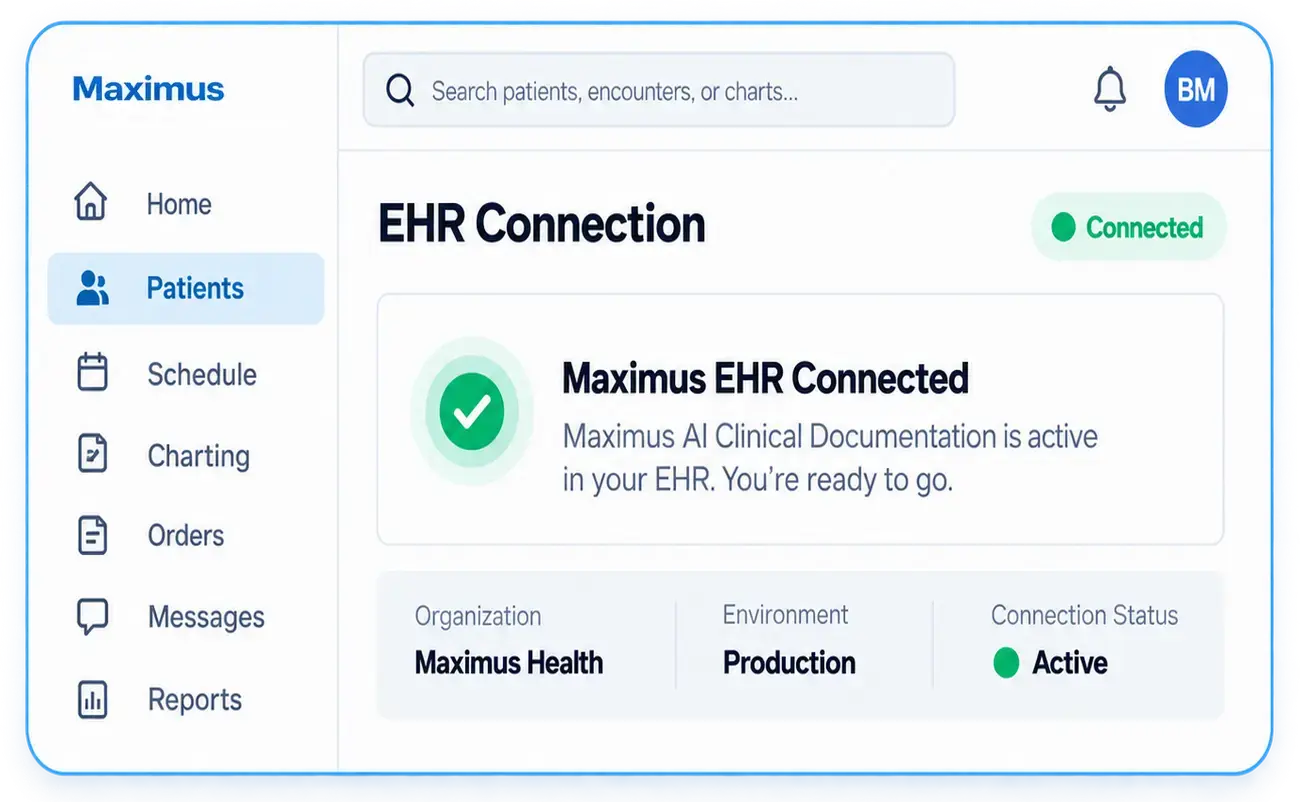
Step 01
Connect Your Workflow
Maximus AI Clinical Documentation activates inside your existing Maximus EHR setup. No separate system to learn.
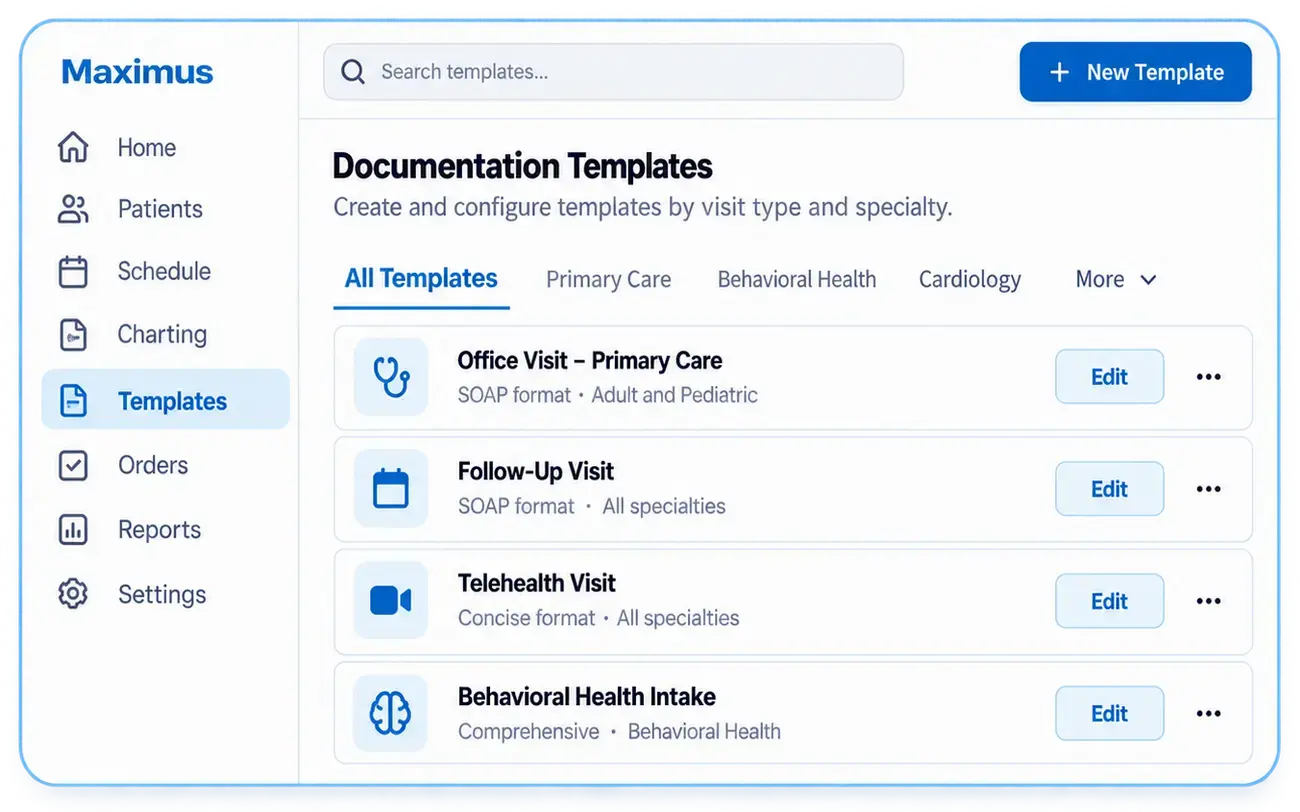
Step 02
Configure Your Templates
Set documentation formats by visit type and specialty.
Step 03
Start Documenting
AI generates the first draft from the encounter; you review, edit, and finalize.
PROVEN IN PRACTICE
What Providers Are Saying
“Maximus is a user-friendly EHR that is easy to learn and navigate. Its scheduling, multi-patient workflow, and integrated services make daily operations simple and efficient.”
“We’re very happy we switched to Maximus. The workflow is much smoother, especially for follow-up visits, and the system is extremely easy to use.”
“Switching to Maximus has streamlined our entire workflow. Its intuitive interface and customizable templates make scheduling, billing, and documentation easier for our whole team.”
“Maximus has transformed how our practice operates. Scheduling, billing, and clinical documentation work smoothly together, saving our staff significant time on administrative tasks.”
FAQs
Frequently Asked Questions
What is AI clinical documentation?
AI clinical documentation uses artificial intelligence to help providers create, organize, and complete clinical notes and other medical documentation, reducing repetitive charting work.
How does AI clinical documentation work?
It processes information from a patient encounter and uses it to generate or organize a structured clinical note. Providers then review, edit, and finalize the documentation inside their workflow.
Can AI write clinical notes?
AI can generate clinical notes from available encounter information, but providers review and finalize every note to ensure it accurately reflects the visit.
Does AI clinical documentation replace physicians?
No. It’s designed to assist with documentation, not replace clinical judgment. Providers remain responsible for reviewing and finalizing their notes.
How can AI documentation improve provider productivity?
By reducing manual documentation work, AI helps providers complete notes faster and spend less time on administrative tasks after hours.
Is AI clinical documentation connected to the EHR?
Yes. It’s built directly into the Maximus EHR environment, so documentation stays connected to the patient record and the rest of the clinical workflow.